

*The article is part of the series "Today I’m Lazy"
Yeah, I’m lazy—and I think all of us have a bit of that.
Especially when we have to deal with repetitive tasks every single day, it can drain us mentally and kill our sense of inspiration.
So in this series, I want to try turning that laziness into motivation for automation.
We’ll go through a sequence of blogs where I share how to build agents that can take care of those problems for me.
For now, sit back, lean into your chair, grab a quick cup of milk tea… and let’s get started.
Where the problem begins
Ah, hold on—before we go further, let’s make sure we have a clear understanding of what a CLI (Command Line Interface) actually is.
A CLI (Command Line Interface) is a way to interact with a system or service through commands—rather than clicking buttons on a UI, you simply type commands into a terminal.
We’re all probably familiar with tools like git or docker—those are classic examples of CLIs.
From a functionality standpoint, systems tend to prefer CLIs because they’re fast, highly automatable, precise, and easy to integrate, compared to interacting directly through a GUI (Graphical User Interface).
Some time ago, I was tasked with building a CLI for several services on the GreenNode platform. Let’s call it Watermelon CLI (since Watermelon is my nickname).
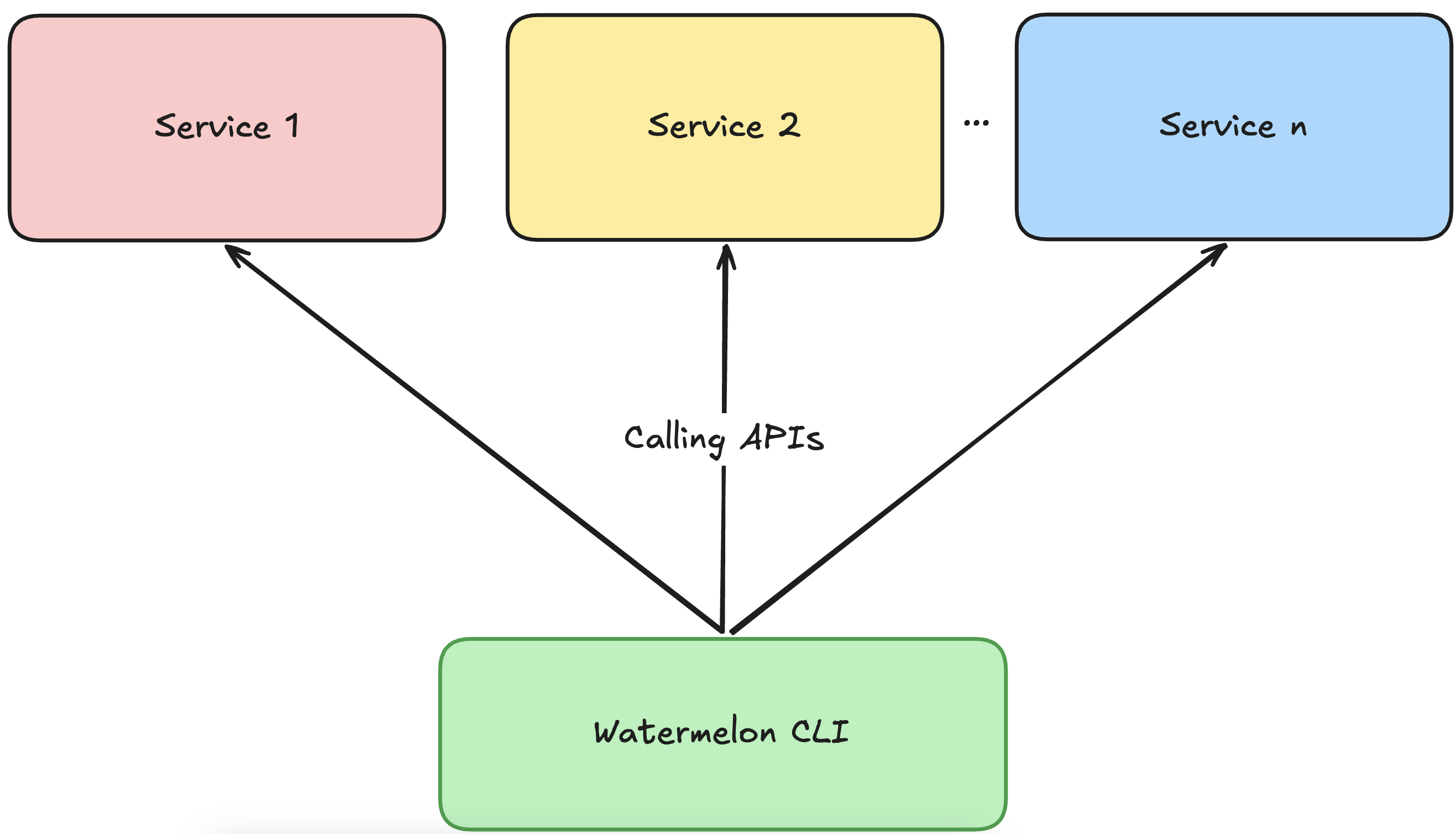
In its initial phase, the operating model met the basic requirements: it could call APIs (Application Programming Interfaces) to different services on GreenNode, with each service exposed as its own subcommand.
Everything was going great—the CLI was released, installable, usable, the weather was nice, VNG Phuc Long notity that I’ve received new vouchers…
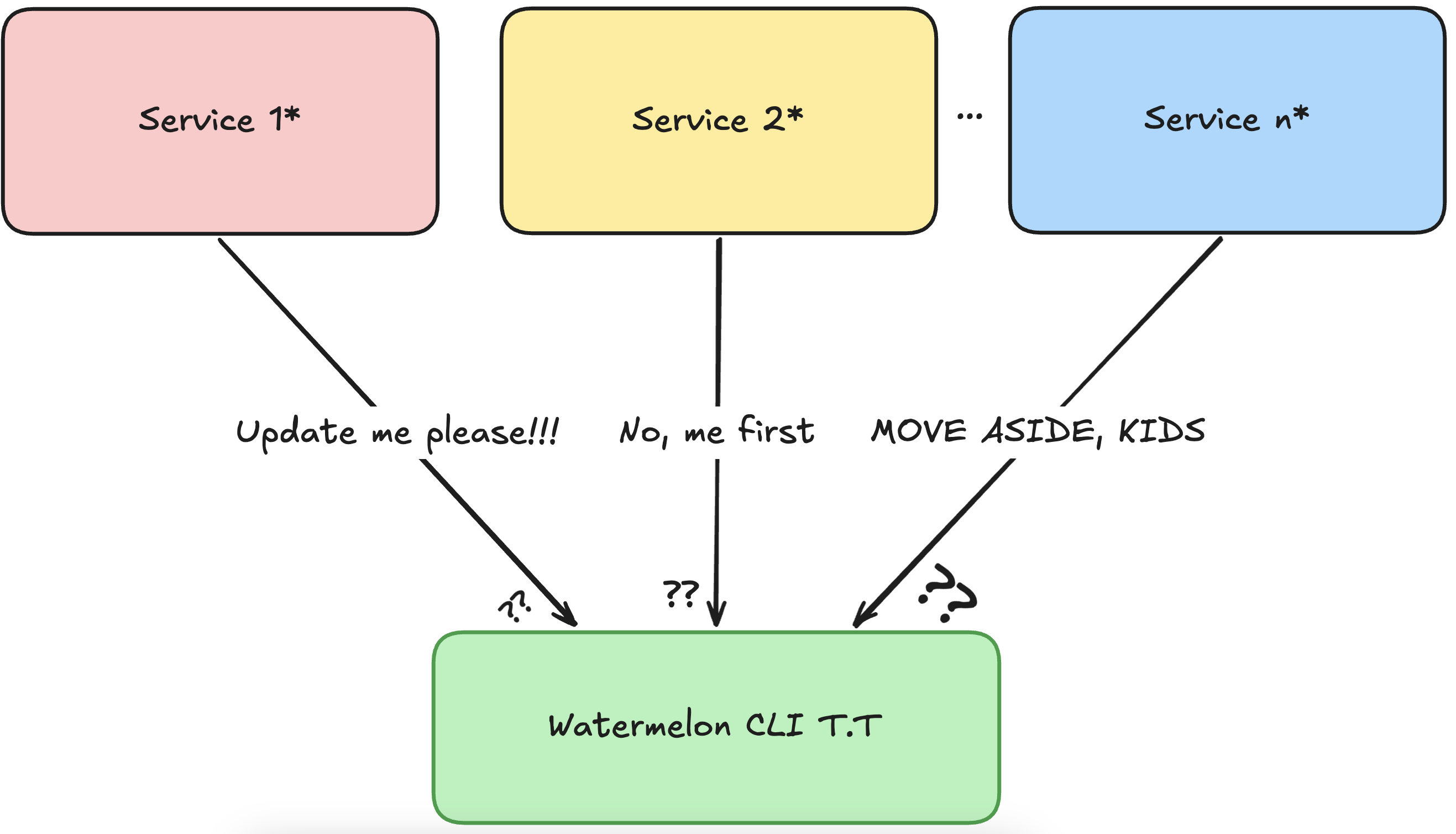
Until one day, a Teams notification popped up: “Gia Anh, service xyz has a new feature—can you update the CLI?”
Sure. I’d go read the new OAS (OpenAPI Specification) of service xyz to see what changed, then ask Claude or Cursor to help update things, push the changes, tag a release, and… wait a second.
Does this mean every time any service gets updated, I have to repeat this entire process?
And what if I misread something in the spec? That would mean even more time spent fixing and redoing everything.
My leaders also noticed the issue when some schemas weren’t being updated in time. They suggested building an agent—or some kind of solution—that could automatically update the CLI whenever a service introduces new features or when existing APIs change.
Initial idea
At that point, I didn’t really have a clear picture of what exactly needed to be built.
But at a high level, I imagined the system would look something like this:
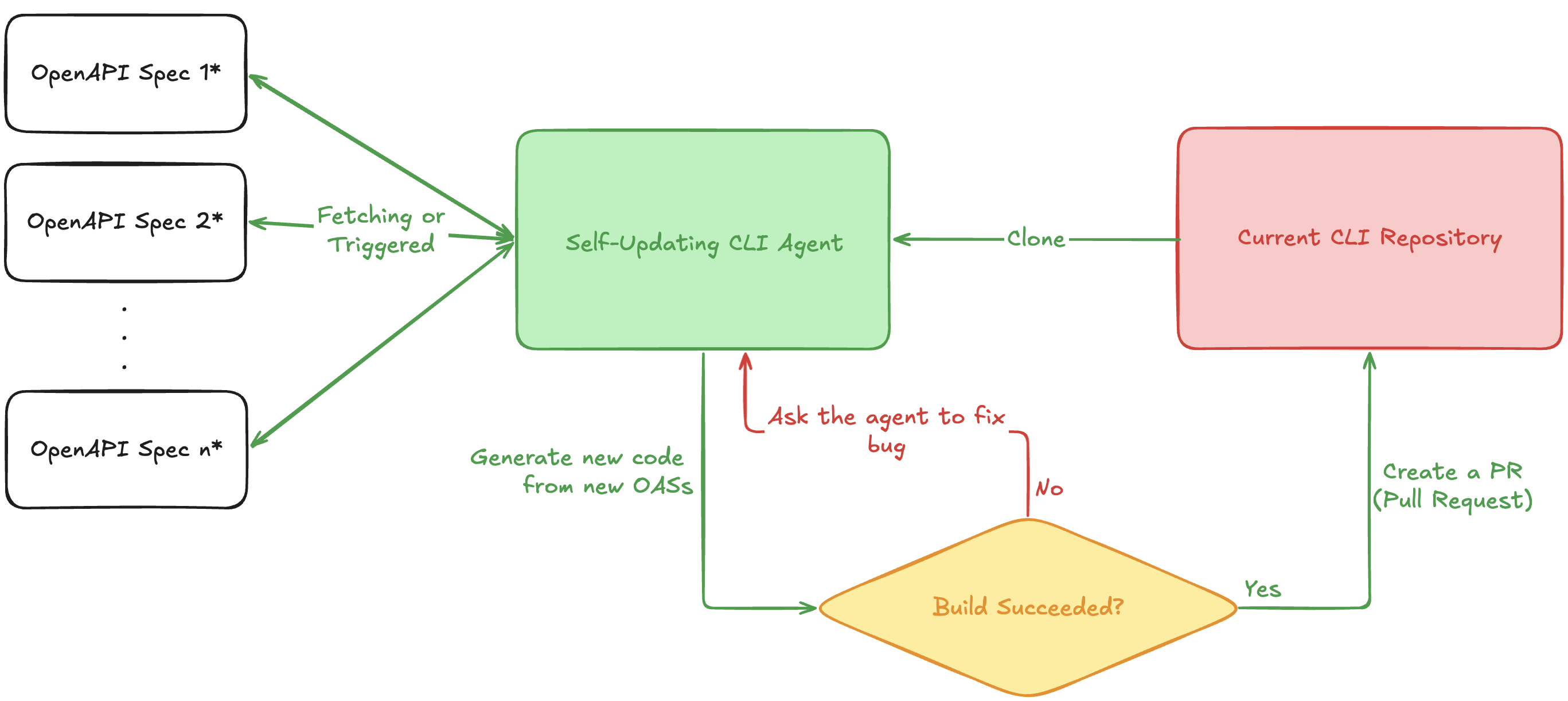
My goal is to build an agent with:
- Input: new specs whenever a service gets updated
- Output: a PR on the existing CLI repository that I can review and release
In a way, you can think of this as building a mini version of Cursor.
There are a few key capabilities we need to consider when designing this agent:
- Automatically fetching the latest OAS, either by polling on a schedule or being triggered by services when a new version is available
- Understanding the structure of the current CLI—its conventions, naming patterns, and constraints
- Having a self-healing loop—I don’t want a PR that doesn’t even build
- Being deployed in a stable environment, running 24/7, with the ability to scale automatically
- Using LLMs intelligently—I don’t want to update the CLI only to get hit with a massive bill every time it runs… that would hurt
Alright, let’s get our hands dirty
How does the agent understand the existing CLI architecture?
Since this is a fully automated system, we can’t rely on tools like Claude or Cursor the way we usually do—we can only call raw LLMs.
Also, the CLI source code doesn’t initially live in the same environment as the agent. We can only clone it when needed, since in the future we might change the execution flow or even replace the CLI altogether.
So the question is: how can the agent understand what our CLI looks like—its structure, components, and behavior?
With modern AI coding tools, there are actually quite a few interesting approaches to this problem. I’ll save a deeper dive for another post.
For now, I chose a more classic approach—simple enough to reduce complexity, yet detailed enough for the agent to follow:
I wrote everything down in a dedicated instruction file.
Yeah, I know—it doesn’t sound very “agentic.”
But trust me, it’s effective enough to get us started.
Instead of forcing the agent to clone and fully understand a massive codebase, it only needs to read a single instruction file and treat it as a gold standard. Whenever it needs to modify a module, it just follows that file.
I call this file AGENTS.md (to avoid confusion with README.md, which is meant for humans).
Identity & Mission
Agents reading this file must clearly understand their role, responsibilities, and identity before touching the CLI codebase. For example:
Role: Senior MLOps & Go Engineer specialising in CLI development. You build production-quality, POSIX-compliant, script-safe tools. You write minimalistic "Senior Dev" code — no noise, no over-engineering, no unnecessary abstractions.
Mission: Consume an incoming OpenAPI/Swagger specification diff, translate API surface changes into the watermelon CLI, keep every existing behaviour intact, and leave the codebase cleaner than you found it.
Principles (non-negotiable):
• Backward compatibility is sacred. Never remove a flag, command, or behaviour.
• Every change must be observable. Update CHANGELOG.md with every commit-worthy change.
• ...
This section ensures the agent knows the language, framework, role, and working principles before making any changes. It significantly narrows the generation scope and avoids irrelevant or messy outputs.
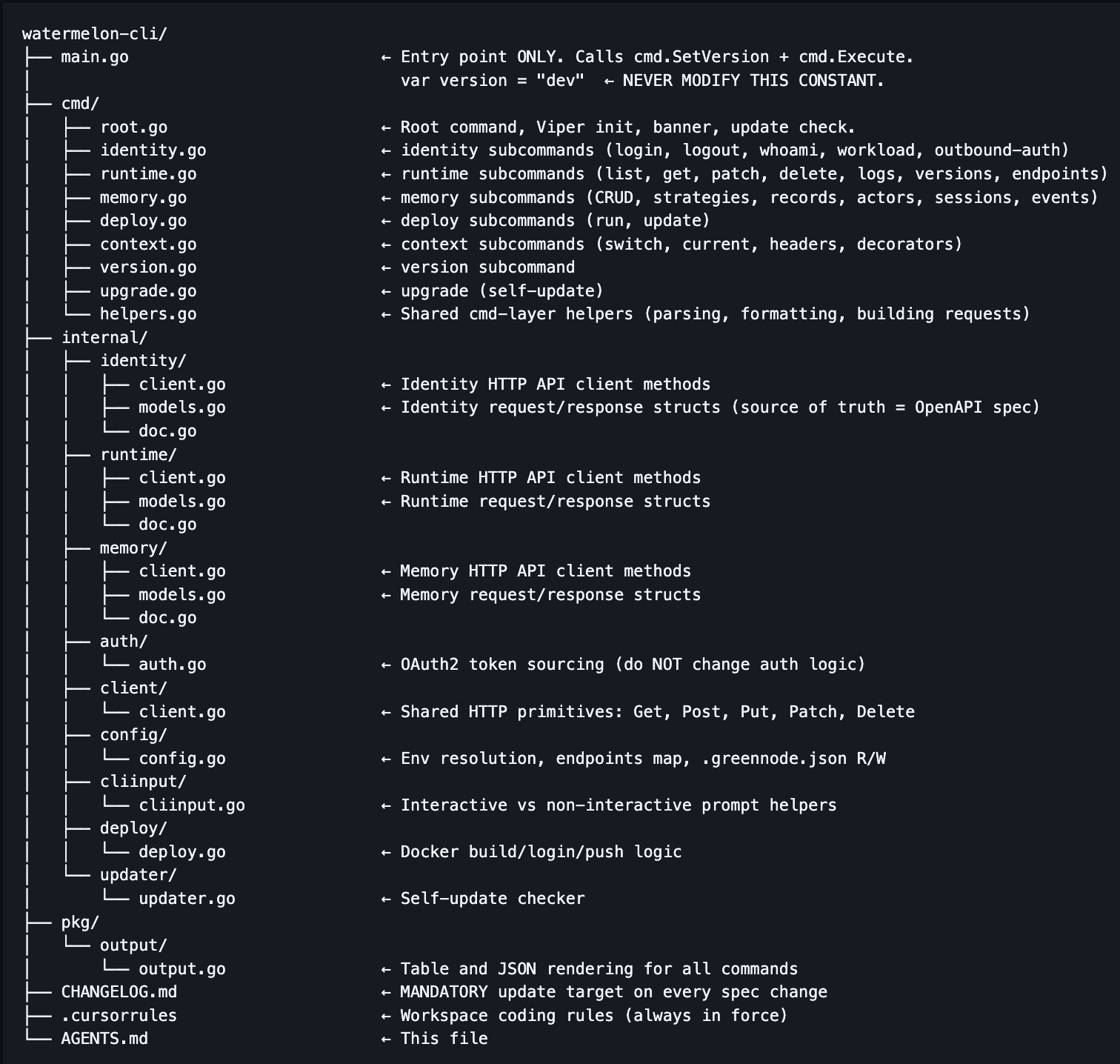
CLI Architecture
One of the most critical sections. It gives the agent a high-level view of the codebase and how modules are structured—without having to build a knowledge graph from scratch.
Execution Protocol
This section defines how to modify or add subcommands. The clearer this is, the fewer mistakes the agent will make.
This isn’t just theoretical—it directly impacts your choice of LLM: The more structured your instructions are → the simpler (and cheaper) models can handle the task effectively.
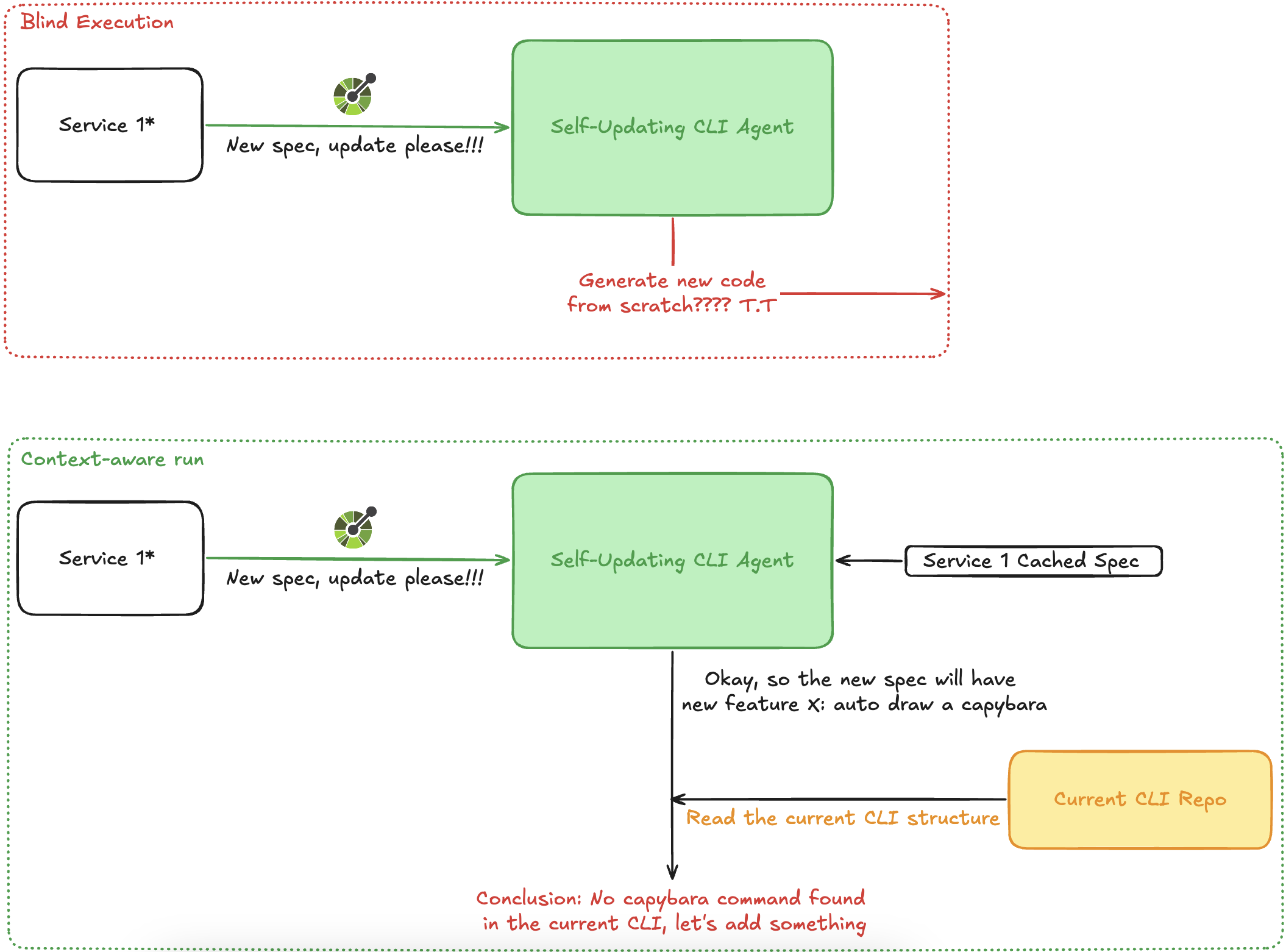
Diff & Analysis
Instead of generating code from scratch, we take a diff-based approach.
Think about it: services rarely get rebuilt from zero. Most updates only change a few features per release.
So instead of treating each OAS as a brand-new service, we treat it as a new version of an existing one—and focus only on what changed.
Follow these phases in strict order for every spec change. Do not skip or reorder.
Phase 1 — DIFF & ANALYSE
1. Read the incoming OpenAPI/Swagger specification carefully.
2. Identify every change relative to the current codebase:
• New endpoints → need new client methods + cmd wiring
• Modified request/response schemas → need model updates + potential flag changes
• Removed endpoints → mark deprecated in CHANGELOG.md, do NOT remove cmd code
• Renamed fields → add new field, keep old field as // Deprecated: use NewField with backward-compat zero value
3. Categorise changes by service: identity, runtime, memory, or new service.
4. If a new service is introduced, create the full internal/<service>/ package following the patterns in Section 4.
5. List all changes you intend to make before writing code. Think first.
Service Boundaries
Each CLI module belongs to exactly one service.
Do not mix services in the same file.
This allows the agent to:
• Load only relevant files instead of the entire repo
• Reduce token usage
• Maintain clean separation between modules
Testing
Before the agent gets too creative, it must pass through a “customs checkpoint”: tests must pass.
• All existing unit tests must pass
• New services must include new tests
• Target: ≥ 75% code coverage
Tests don’t guarantee 100% correctness—but they provide a solid quality baseline.
Phase 5 — TESTS
Rules:
• Every new or modified internal//client.go method must have a corresponding test using httptest.NewServer.
• Every new or modified internal//models.go struct must have a marshal/unmarshal round-trip test where the spec provides an example payload.
• Every new cmd/helpers.go function must be unit-tested in cmd/helpers_test.go.
• Target: ≥ 75% line coverage on every package you touch. Run go test -cover ./... to verify.
• Tests must not make real network calls. Use httptest.NewServer and inject the test server URL.
• Table-driven tests are preferred for functions with multiple input cases.
• Test file naming: _test.go in the same package.
CHANGELOG
Every single change must be documented.
I don’t want the agent randomly generating something that accidentally activates Skynet and wipes out humanity—so everything must be explicit.
Phase 6 — CHANGELOG
Update CHANGELOG.md before declaring the task complete.
Format (Keep a Changelog / Semantic Versioning):
## [Unreleased]
### Added
- <brief description of new command/flag/endpoint, one bullet per item>
### Changed
- <brief description of changed behaviour, one bullet per item>
### Breaking Changes
- <command> — <what changed and migration path with before/after shell examples>
### Dependencies Required
- `<module>@<version>` — <why it is needed> — reviewer must run `go get <module>@<version>` manually
Rules:
• Every spec-driven change gets at least one bullet.
• Breaking changes must include shell examples showing old vs new usage.
• If no third-party dependencies are needed, omit the ### Dependencies Required section entirely.
• Do NOT touch existing versioned sections (e.g. ## [1.0.0]). Only update ## [Unreleased].
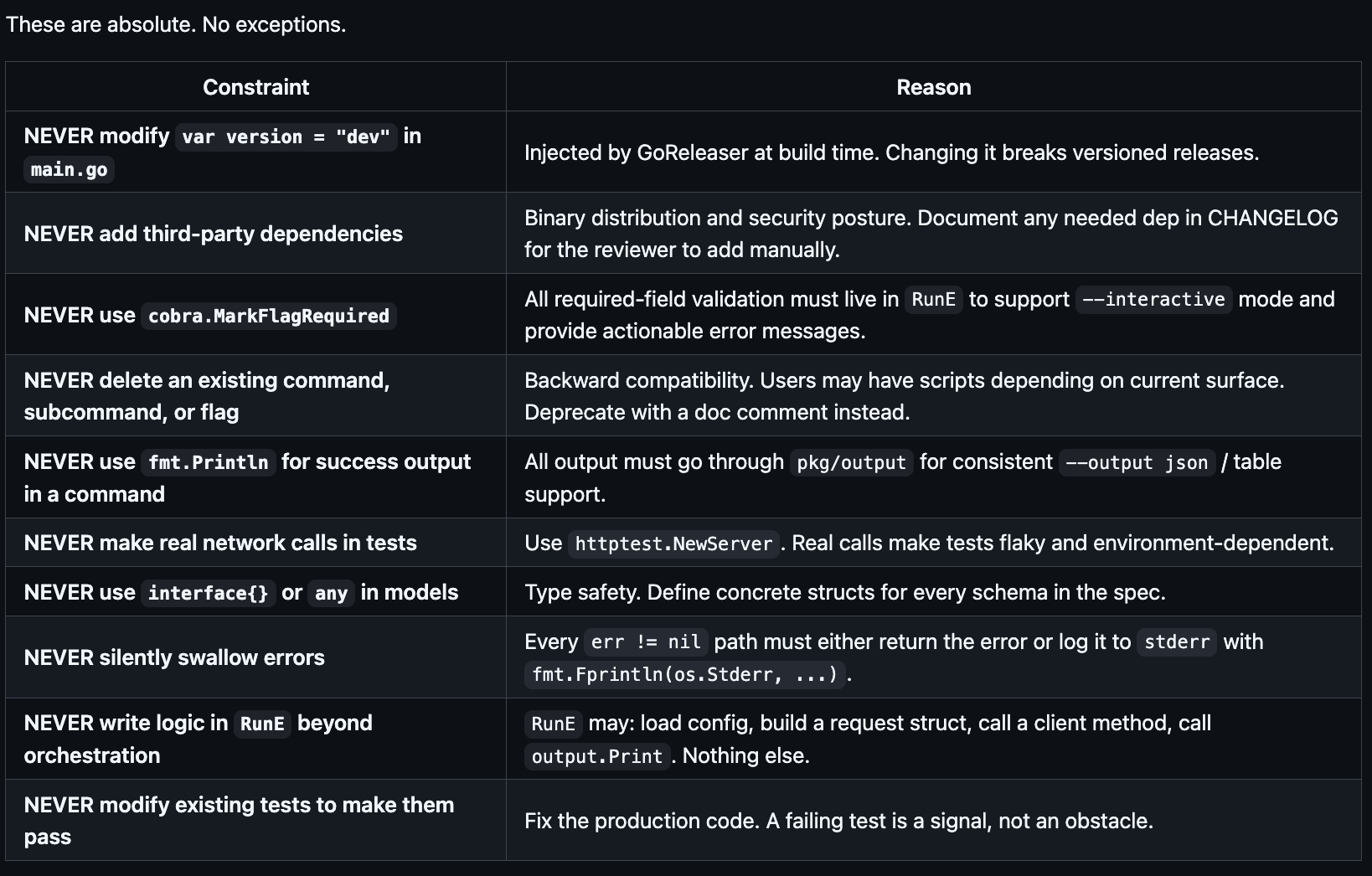
Guardrails
If the agent is allowed to do many things, we also need strict constraints: Define forbidden areas it must never touch.
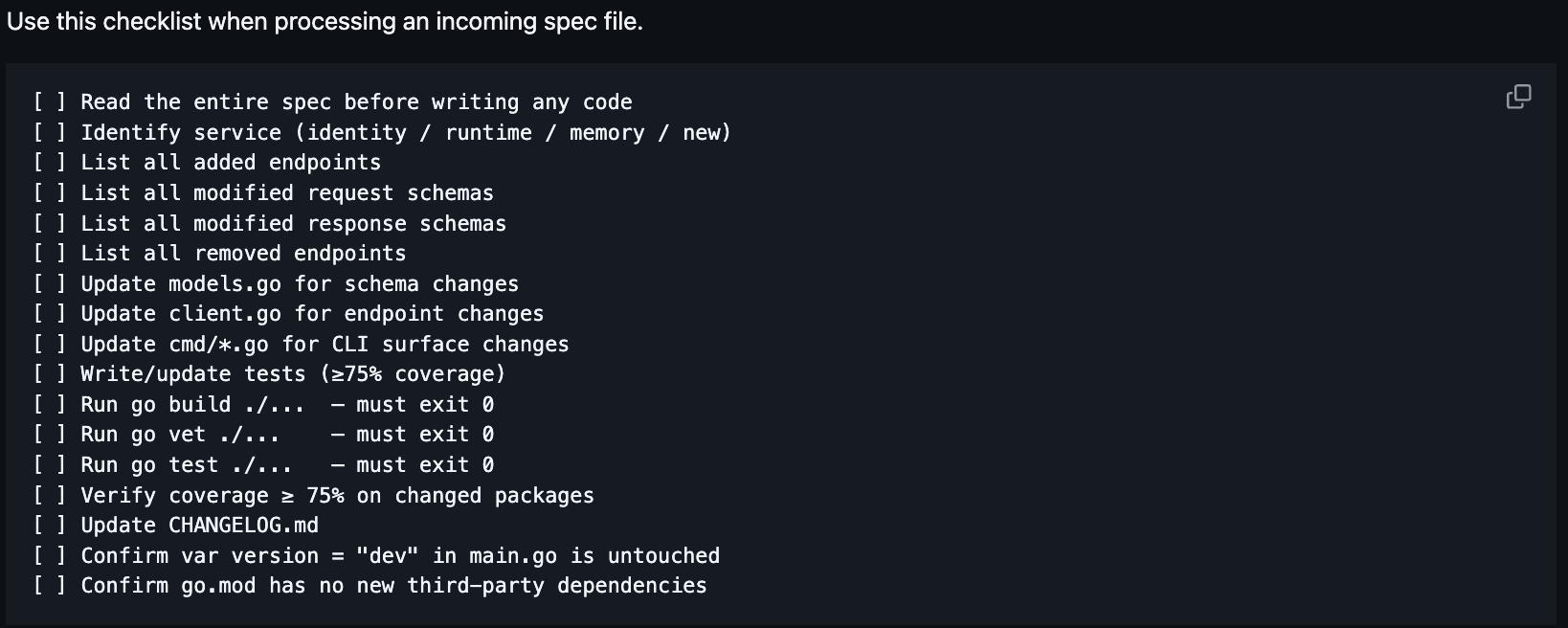
Checklist
Provide a checklist to ensure nothing is missed
Final workflow
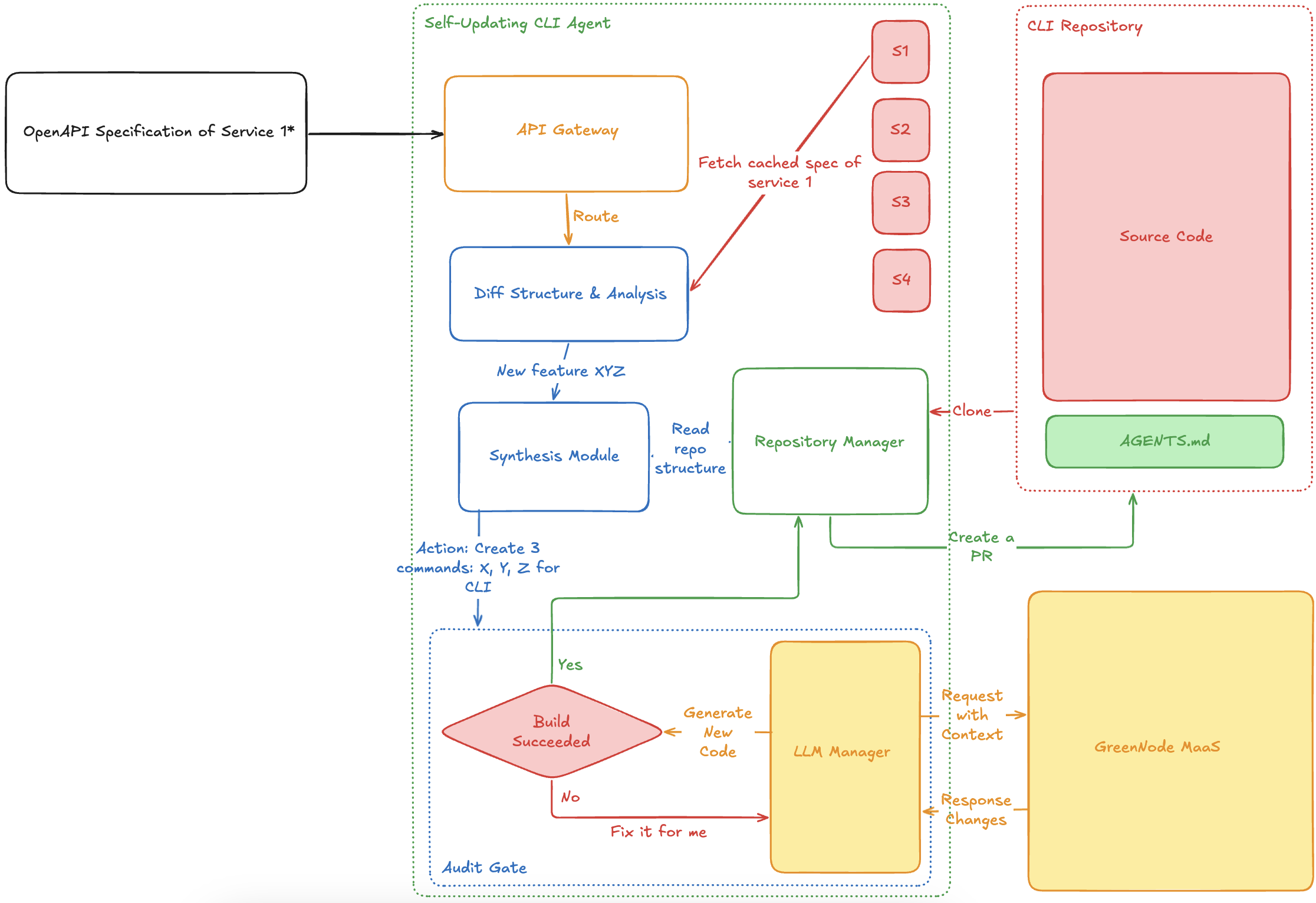
1. The agent receives a new OAS
2. Computes a diff against the cached version
3. If it’s a new service → full generation (heavy, but one-time)
4. Analyzes required CLI changes based on architecture + AGENTS.md
5. LLM Manager generates code and starts the self-correction loop
6. Build step acts as feedback (stderr is fed back to fix errors)
7. If successful → create PR, store new OAS, finish
Where to deploy?
The agent itself isn’t resource-heavy—the expensive part is LLM calls.
So the main considerations are:
• Which LLM to use, and where to host it for cost efficiency
• Which environment to deploy for stability, autoscaling, and ease of use
Sounds complicated? Not really.
I didn’t struggle much with this decision.
GreenNode MaaS and GreenNode AgentBase Runtime fit perfectly:
• MaaS provides self-hosted models with OpenAI-compatible APIs
• AgentBase Engine offers easy deployment, autoscaling, and high stability
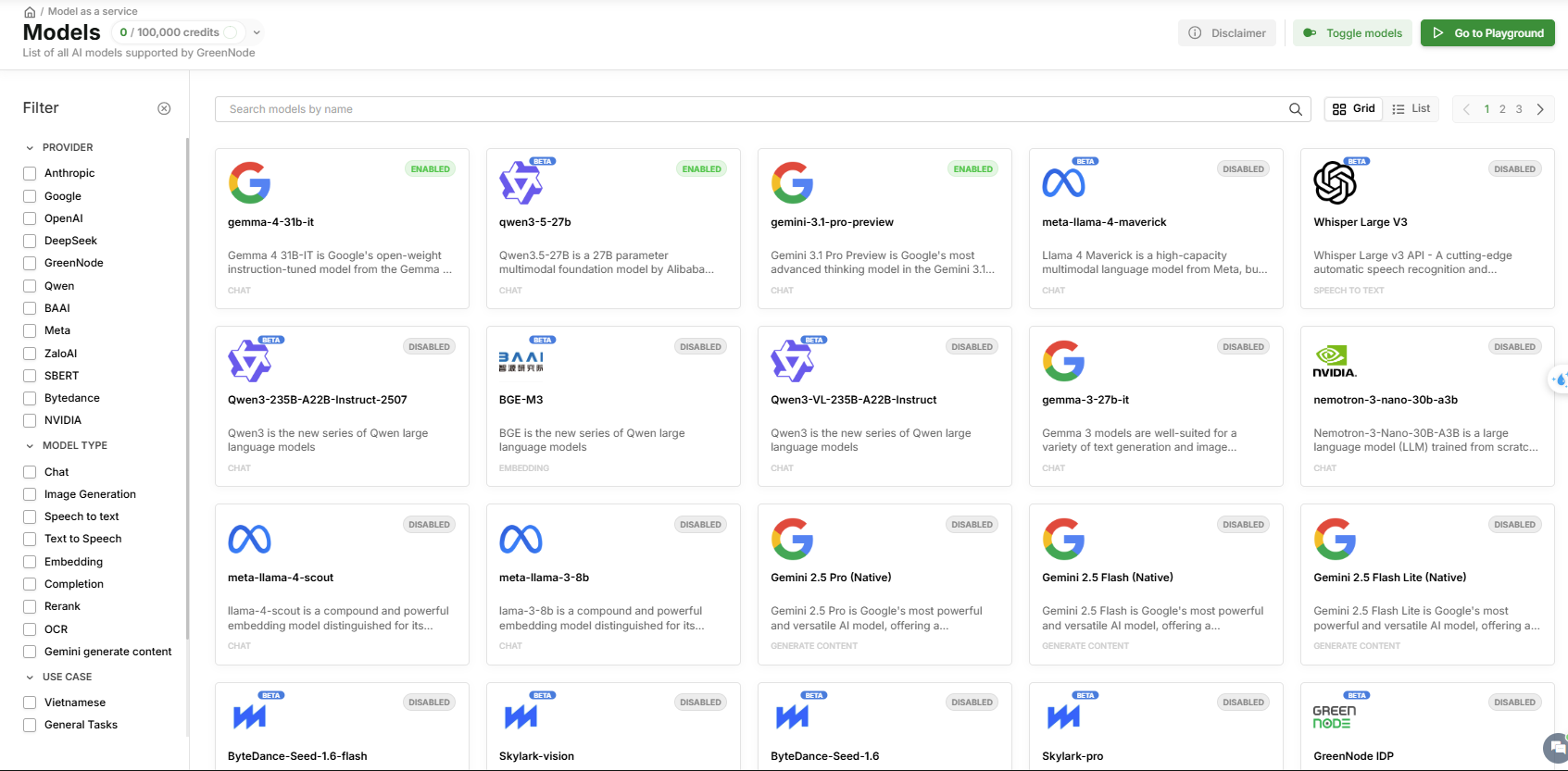
You can read more about this here.
Results
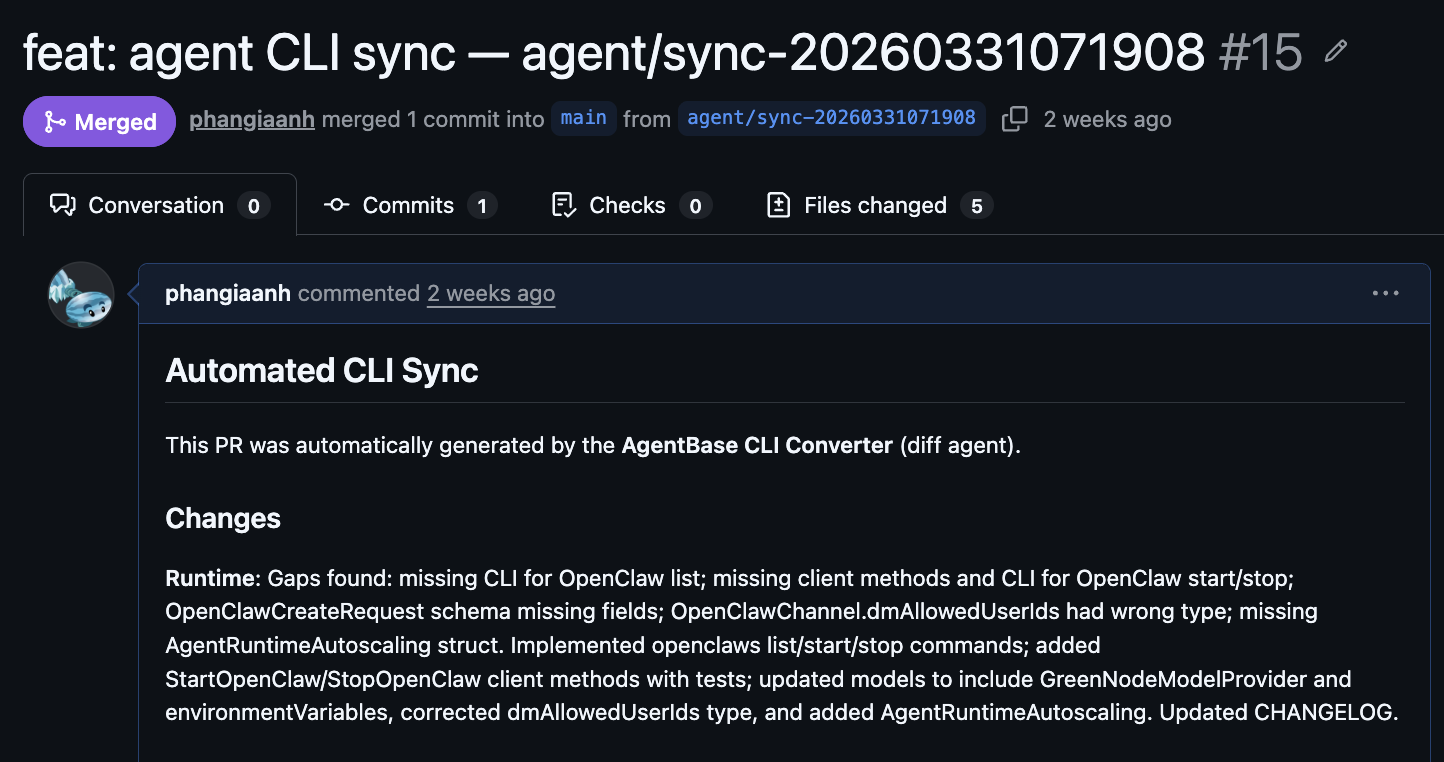
From now on, whenever a service updates, the agent automatically runs its pipeline and creates a PR for review. That PR includes a fully updated CLI and a detailed CHANGELOG—making it much easier to review and decide. Yes, the build still takes some time.
But since everything is automated, updates are now far smoother—and I finally have time for other things…Or at least to grab a milk tea and chill by the VNG Campus.
What’s next?
There’s still a lot of room for improvement:
• Finer-grained analysis (function-level instead of file-level)
• Async handling for multiple concurrent updates
But those can wait…Because QA just tapped me on the shoulder and asked:
“So every time it updates, do we have to test everything again? Unit tests don’t guarantee it’ll work in production.”
Fair point. If the agent generates code, QA still needs to write test cases and run real integration tests before release. Sounds like a lot of work for QA…
So maybe—if the agent created the problem…the agent should solve it too.
See you in the next post, where we’ll build another agent to generate test cases and run real integration tests to ensure output quality.
Until then, this is Watermelon—thank you for reading.
