

Key takeaways
- A model's quality depends on your own data and prompts – so real testing matters, not just reading benchmarks.
- Testing many models the traditional way is slow: many API keys, many integrations, and extra operational cost.
- The GreenNode MaaS Playground lets you test and compare multiple models side by side without writing code, on your own real data.
- Once you pick a model, you move straight from testing to production on the same platform and the same API.
Choosing the right AI model shouldn't rest on benchmarks or specs alone. A model at the top of a generic leaderboard can still perform poorly on your own data and prompts. So before going to production, businesses need to test several models, compare output quality, and refine prompts on the real task.
The problem is that the traditional approach is labor-intensive: one API key per model, integration code, and a test harness before you can even compare. The GreenNode MaaS Playground removes all of that – a no-code environment that lets developers and product teams test, compare, and refine multiple AI models in one interface, shortening evaluation and getting AI into production faster.
Why Should Businesses Test AI Models Before Production?
Public benchmarks tell you how strong a model is in general – but not how it performs on your specific task. The same model can excel on English data but struggle with specialized Vietnamese text; answer sample questions well but fail on exactly the kind of documents you need to process.
Testing before production lets businesses:
- Assess real quality on real data. Run your own prompts and data to see how the model behaves, instead of inferring from generic scores.
- Compare multiple options. For the same task, different models produce different results, latency, and cost – only visible when placed side by side.
- Refine prompts. Output quality depends heavily on prompt design; testing helps you find the optimal prompt before writing code.
- Reduce risk and cost. Catching an unsuitable model early is far cheaper than swapping it out after it's deeply integrated into the product.
In other words, testing turns "choosing a model" from guesswork into an evidence-based decision. For the criteria and a workload-based selection process, see How to Choose the Right AI Model for Each Business Use Case.
The Challenges of Testing Multiple AI Models the Traditional Way
In theory, everyone wants to test many models before choosing. In practice, the process is usually blocked by technical friction:
- One provider, one API key per model. To try GPT, Claude, Qwen… you must create accounts, get keys, and set up billing in each place.
- You need code just to try. Just to compare a few answers, developers have to write scripts to call APIs and handle each provider's different output formats.
- Hard to compare side by side. Without a shared place to line up results, evaluation becomes scattered and subjective.
- Product teams depend on developers. A PM or product owner who wants to try an idea has to wait for engineering to build the environment.
- Time and cost. Each test cycle drags on, and the engineering time spent "building the sandbox" should have gone into building the product.
The result: many teams skip testing and pick a model by intuition or brand name – and pay for it in production.
How Does the GreenNode MaaS Playground Shorten AI Model Evaluation?
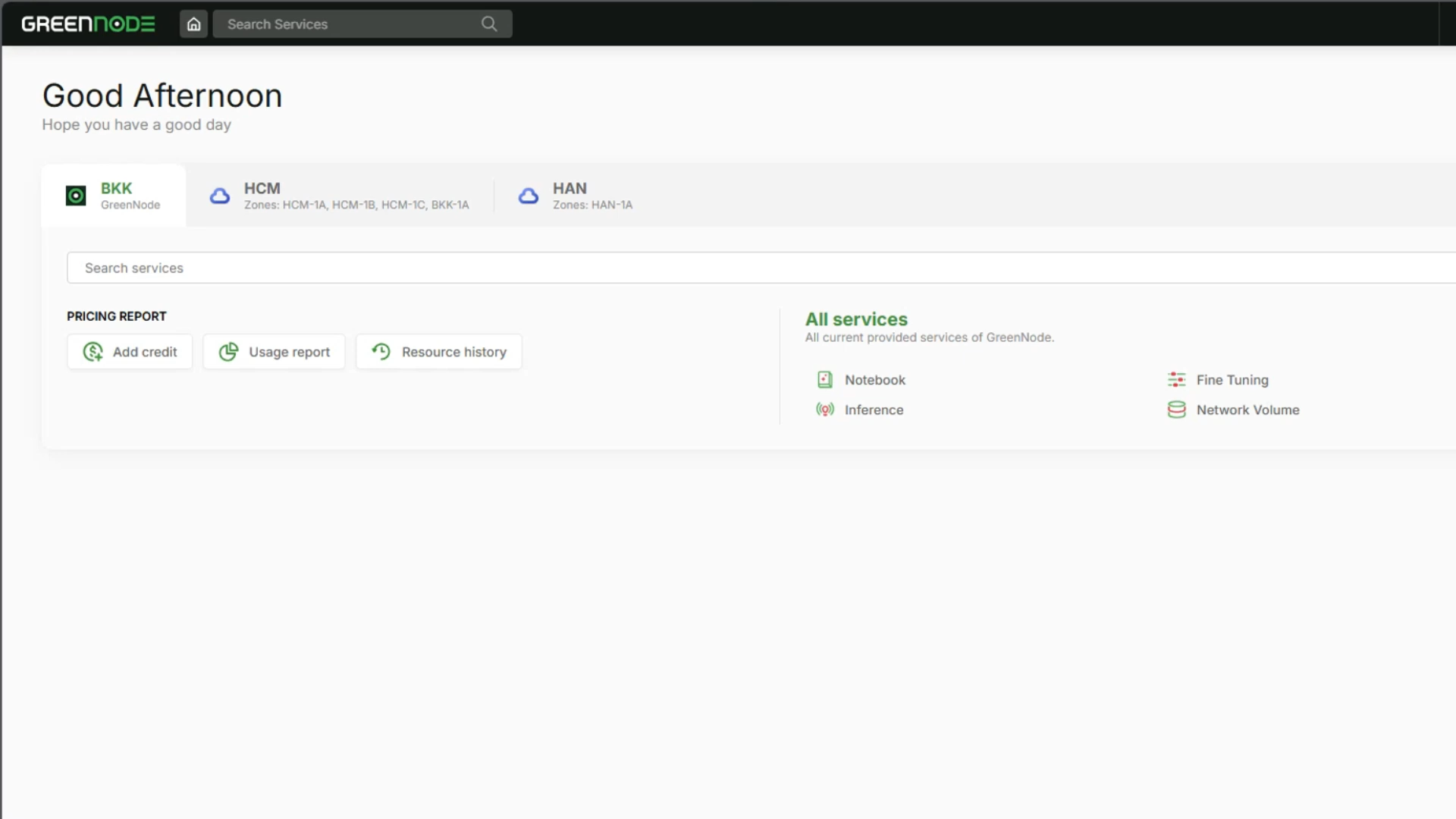
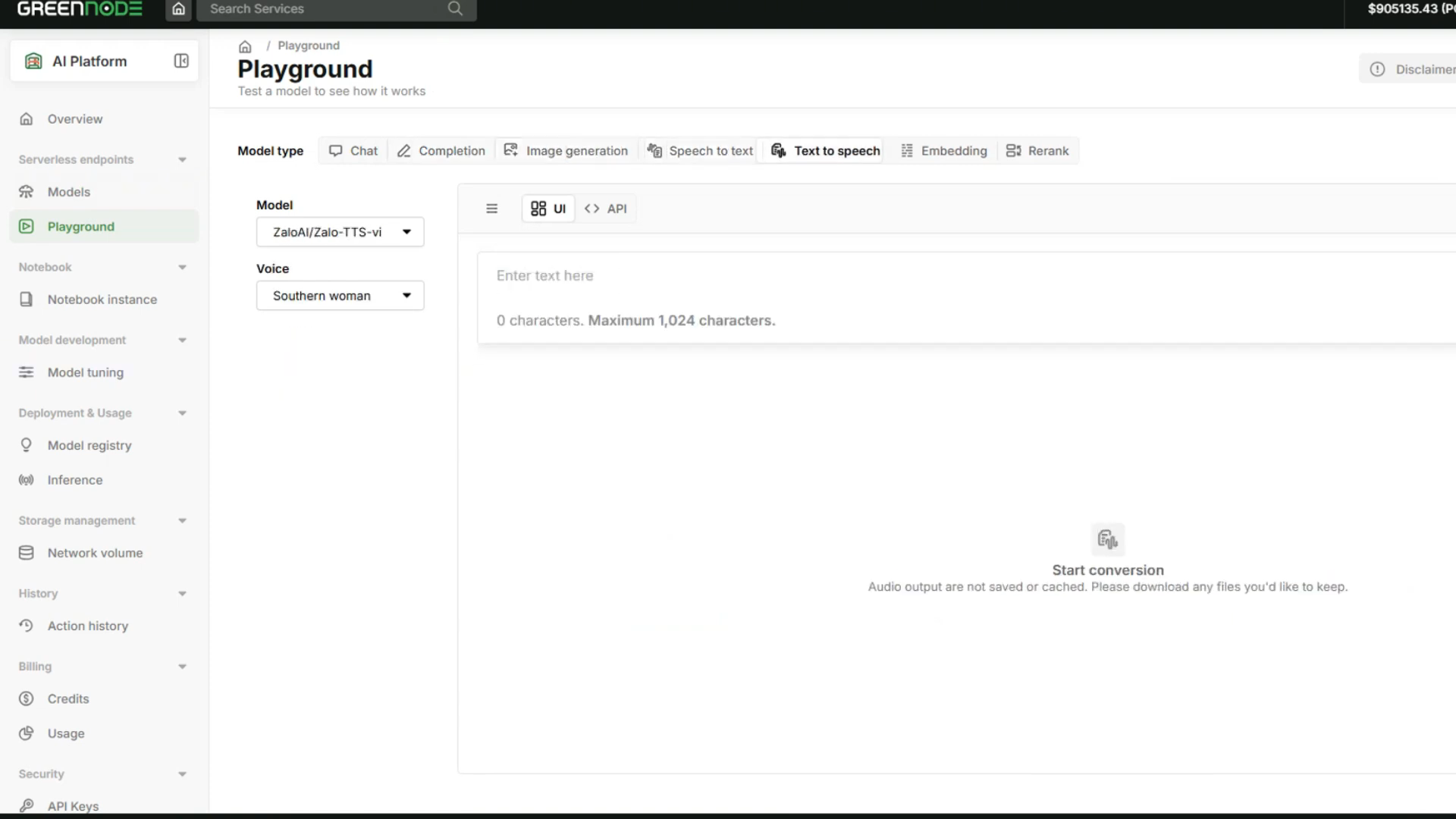
The GreenNode MaaS Playground is a no-code environment to test and compare AI models right in the browser. Instead of building a test harness, you open the interface, enter a prompt, and start evaluating. Businesses can watch Build Smarter AI Projects with GreenNode Serverless AI Model to explore the GreenNode MaaS Playground interface and discover its key features.
Here are the key features and their benefits:
- No-code interface – anyone can test. No code needed to call a model. Product teams and even non-technical users can run experiments, while developers save the time of building scripts.
- Multiple models in one interface – direct comparison. Try GPT, Claude, Qwen, GLM, MiniMax, Kimi, Gemma… side by side with the same prompt, to see differences in quality, latency, and cost.
- Runs on your real data and prompts – realistic evaluation. Use your actual task data instead of sample examples, so results reflect what the model will really do in the product.
- Tune prompts and parameters instantly. Adjust the prompt and parameters and see the impact on output immediately – shrinking the optimization loop from hours to minutes.
- "Copy as code" – export ready-to-use code right in the Playground. This feature exports a snippet in Curl, Python, or Node.js right inside the Playground (click the <> API icon), already configured with the exact model and prompt you just tested. That gives businesses one more, faster path to production – paste the code into your app and it runs, with no hand-copying or rebuilding the request.
- Transparent per-token cost. With pay-per-token, you can estimate each model's cost as you test, before committing to production.
- Transparency over where each model runs. Through the platform, you see whether each model is self-hosted (on GreenNode's infrastructure) or third-party, and choose the deployment region – important for sensitive data.
As a result, comparing and settling on a model is no longer a separate engineering project, but just a few sessions of hands-on testing in the interface.
From Testing to Production on the Same Platform
The biggest difference: what you test in the Playground doesn't need to be rebuilt for production. Right at the testing step, the Playground already gives you more than one path to ship – all on the same platform and one unified API:
- Lock in the model in the Playground with your refined prompt and parameters.
- Grab ready-made code with "Copy as code." Click "Copy as code" (the <> API icon) right in the Playground to export a snippet already wired to the exact model, prompt, and parameters you just tested – in Curl, Python, or Node.js to match your stack. This is the fastest path: paste the code into your app and it runs, behaving exactly as you saw in the interface.
- Or integrate via an API key – for existing systems, your team just gets an API key and calls that exact model through the unified API in a few lines of code, with no platform switch. (Details in our guide on integrating AI models through APIs.)
- Run on a usage basis with pay-per-token, and scale when needed without managing GPU infrastructure.
- Switch models anytime. Because all models share one API, moving to another model later is usually just a configuration change – and you can always return to the Playground to "Copy as code" for the new model.
The whole journey – from testing, comparing, and refining to deployment – happens in one ecosystem, with data kept in the region you choose. That's what shortens the distance from idea to product.
When Should a Business Use GreenNode MaaS?
GreenNode MaaS (and the Playground) is especially suitable when:
- You're deciding among several models and need a place to compare quickly on real data.
- Product teams and developers choose models together and need a no-code tool to collaborate without fully depending on code.
- You want to ship AI fast, shortening evaluation and avoiding rebuilding the environment for production.
- You need cost control and data sovereignty – estimating per-token cost and keeping data in your chosen region, especially important for banking, finance, and regulated industries.
- You don't want (or don't yet have) a dedicated AI infrastructure team, but still want to use modern models. (See also: How businesses can shorten the AI deployment process.)
If your business is in the evaluation and selection stage, the Playground is the fastest, lowest-risk way to start – and the whole journey to production stays on one platform.
Contact GreenNode for a consultation on Model as a Service and try the Playground on your own task.
Frequently Asked Questions
What is the GreenNode MaaS Playground?
It's a no-code environment to test and compare multiple AI models right in the browser, using your own prompts and data – no code or API integration required.
Do I need to know how to program to use the Playground?
No. The Playground is designed to be no-code, so both product teams and non-technical users can test and compare models. Developers still benefit by saving the time of building a test environment.
How do I deploy once I've chosen a model in the Playground?
You have two paths, both on the same platform: use "Copy as code" (the <> API icon) to export a ready-made Curl, Python, or Node.js snippet already configured with the model and prompt you tested, and paste it into your app; or get an API key and call that exact model through the unified API in a few lines of code. Either way, there's no platform switch or rebuild, and data stays in your chosen region.
How is Playground testing cost calculated?
By pay-per-token: you pay only for the tokens actually used while testing, which helps you estimate cost before moving a model to production.
