What matters
- AgentBase deploys OpenClaw in 40–60 seconds (vs 30–90 min on a VPS), with security (SSL, firewall, container isolation) fully managed, notably, misconfigured Gateway binding caused most OpenClaw security incidents in early 2026.
- Billing is hourly-only while running, from $0.090/hr (General, 2vCPU/4GB) to $0.522/hr (High Memory), roughly $11–65/month depending on usage pattern.
- Best fit is teams needing 24/7 uptime, multi-agent management, RBAC, or data residency — not casual/local testing, where free self-hosting still wins on cost.
You already know what OpenClaw is and what it can do — if not, start with our OpenClaw overview and real-world use cases for businesses first.
The more practical question is: where do you actually run OpenClaw, and how?
This article focuses on one specific answer — deploying OpenClaw on GreenNode AgentBase: what the platform is, what it costs, how it performs in practice, and who it's built for.
What is GreenNode AgentBase? Features overview
GreenNode AgentBase is a cloud infrastructure platform purpose-built for AI agents — designed to run, manage, and scale agents at an enterprise level without requiring you to build or maintain the underlying infrastructure yourself.
AgentBase is not an AI tool or a chatbot platform. It's an infrastructure layer that sits between you and your running agents — similar to how a cloud provider runs servers, but optimized for agent workloads rather than general-purpose compute.
The main components of AgentBase:
- Agent Runtime — a containerized environment for running agents, with autoscaling, versioning, and zero-downtime deployment built in. This is where your OpenClaw instance actually runs.
- Agent Marketplace — a library of pre-built agents ready to deploy, including OpenClaw 1-Click. Instead of building from scratch, you pick an agent, configure it, and deploy in seconds.
- Identity Service — manages agent identities, handles outbound authentication (API keys, OAuth2 for external services), and enforces access policies.
- Memory Service — provides conversation history (short-term) and semantic fact storage (long-term) for agents, without needing to set up and maintain your own vector database.
- MCP Gateway — a centralized connection point for MCP servers, letting agents integrate with external tools and services through a single unified interface.
- Container Registry (vCR) — private Docker image storage for custom agent deployments.
- Private VPC — deploy agents entirely within your corporate network, keeping traffic off the public internet.
- RBAC & Team Permissions — role-based access control per team member, governing who can do what across your agent fleet.
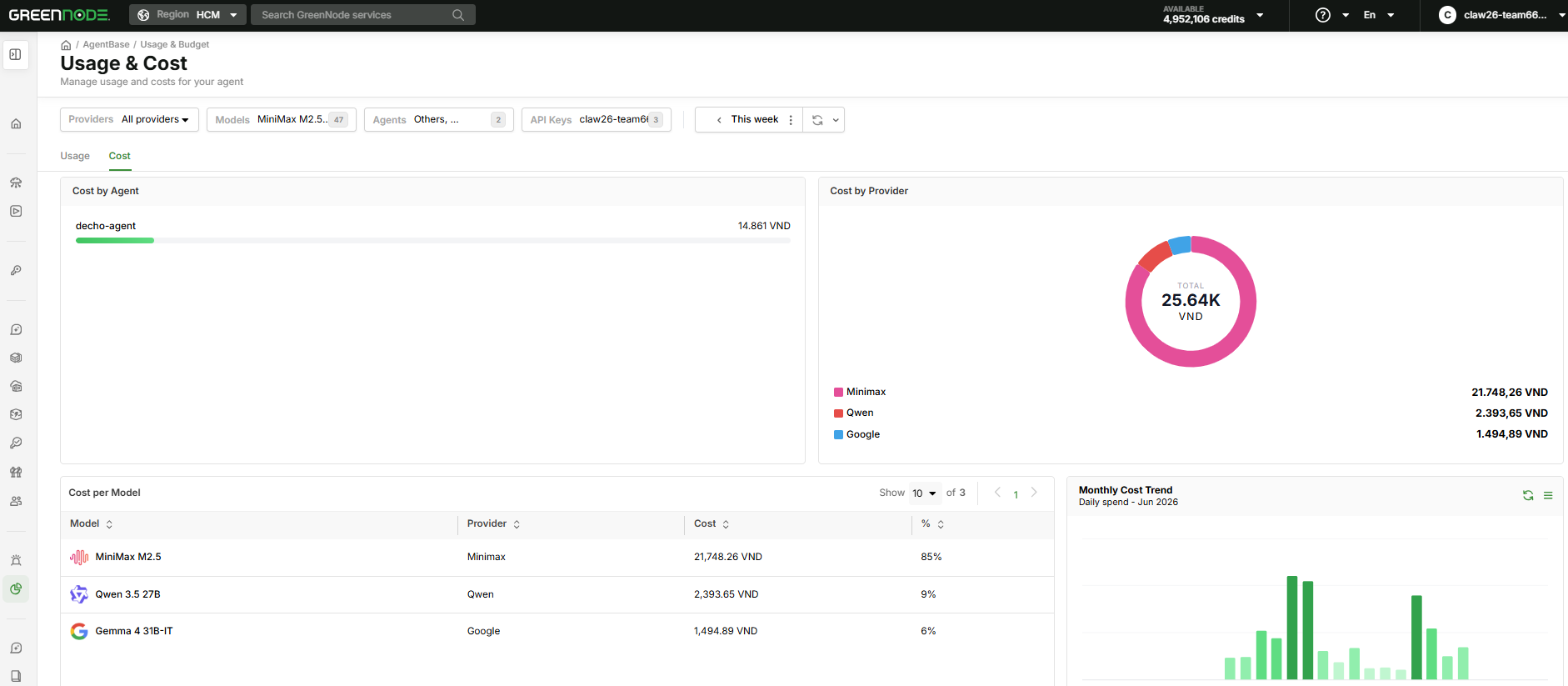
- Usage & Budget — per-agent cost tracking, configurable budget alerts, and cost reporting broken down by MaaS and Runtime consumption.
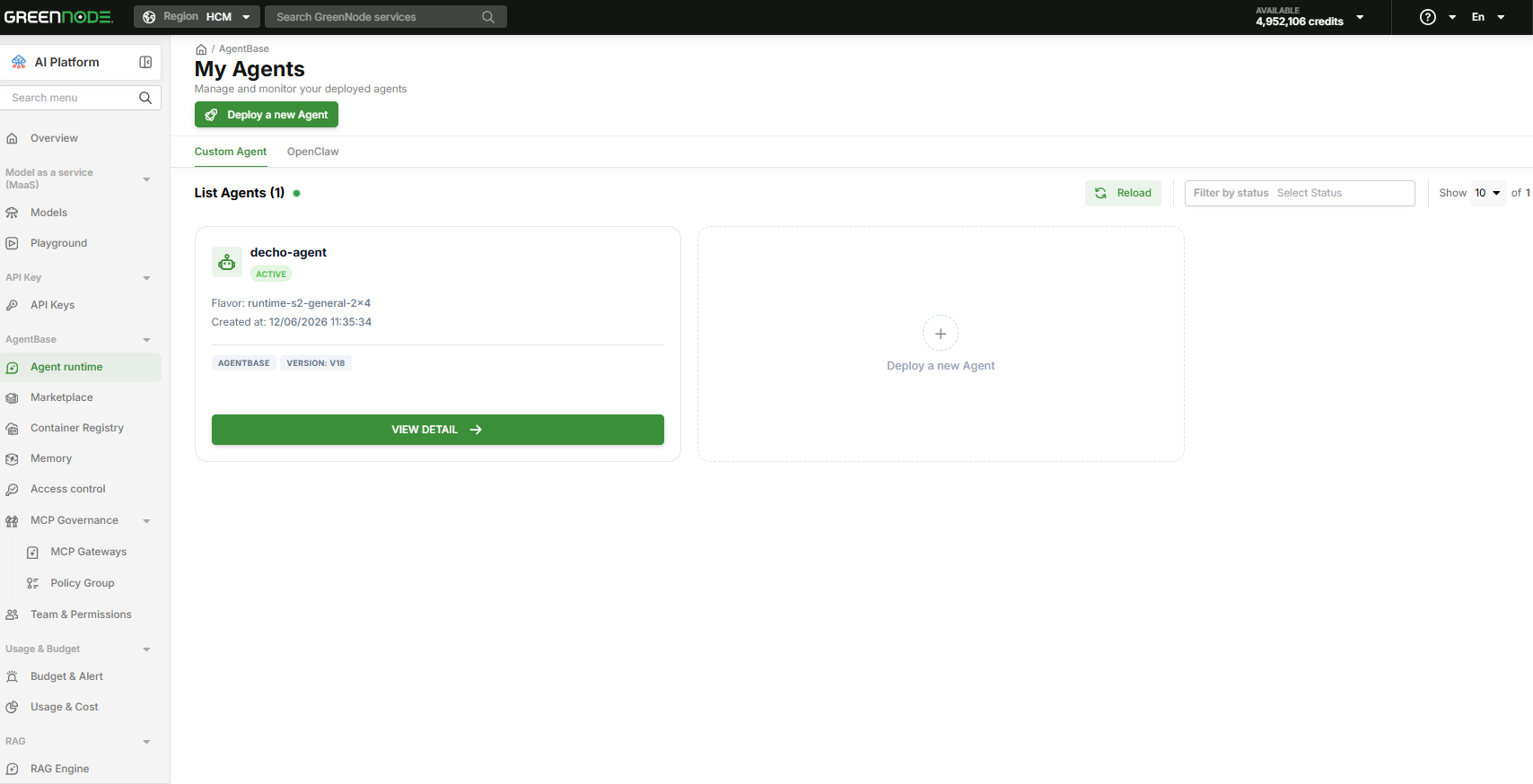
For OpenClaw specifically, you'll interact primarily with the Agent Marketplace to deploy and My Agents Dashboard to manage — the rest of the stack runs in the background.
Deploy OpenClaw 1-Click on AgentBase →
How much does it cost to deploy OpenClaw on AgentBase? Exact pricing tiers and costs
AgentBase uses a pay-as-you-go hourly model, billed only while an instance is Active. A Stopped instance incurs no charges.
Current plan pricing:
| Plan | Price/hour | Spec | Best for |
|---|---|---|---|
| General | $0.090/hr | 2 vCPU / 4 GB RAM | Individual use, light to moderate workloads |
| Standard | $0.302/hr | 4 vCPU / 16 GB RAM | Complex workflows, small teams |
| High CPU | $0.136/hr | 4 vCPU / 4 GB RAM | Code-heavy tasks, parallel processing |
| High Memory | $0.522/hr | 4 vCPU / 32 GB RAM | Large dataset processing, in-memory operations |
Estimated monthly cost by usage pattern (General plan):
| Usage pattern | Active hours/month | Estimated cost/month |
|---|---|---|
| Light use — 4 hrs/day | ~120 hrs | ~$10.78 |
| Moderate use — 8 hrs/day | ~240 hrs | ~$21.57 |
| Always-on 24/7 | ~720 hrs | ~$64.70 |
The key difference from a traditional VPS: a VPS charges a fixed monthly rate regardless of whether the agent is running. AgentBase only charges when the instance is Active — if you stop an instance at the end of the workday and restart it in the morning, you pay nothing for those 14–16 idle hours overnight.
On LLM costs: AgentBase supports two sources. GreenNode MaaS — auto-connected, no API key configuration needed, default model is qwen3-5-27b, billed separately per token. BYOK — bring your own API key from OpenAI, Anthropic, or Gemini; LLM costs go directly to that provider, not through AgentBase.
Real-world performance: What the deploy and ops flow actually looks like
When you click Deploy from the Agent Marketplace, AgentBase automatically runs 4 provisioning steps:
| Step | Task | Description |
|---|---|---|
| 1 | OpenClaw Token | Creates a unique Identity and authentication token for this instance |
| 2 | AI Service Account | Provisions an IAM Service Account connected to GreenNode MaaS |
| 3 | AI Service Token | Obtains an access token for the selected AI model |
| 4 | Cloud Computer | Starts the OpenClaw container on Agent Runtime |
The entire process takes 40–60 seconds. Once complete, you receive a Gateway URL and Gateway Token to log in to your OpenClaw dashboard immediately.
The deploy configuration form has three sections:
Section 1 — AI source: Choose GreenNode MaaS (automatic, no key needed) or BYOK. For BYOK, select your provider (OpenAI, Anthropic, Gemini, or Custom), enter your API key — the system validates it inline before allowing you to proceed.
Section 2 — Instance configuration: Instance name (auto-filled as openclaw/username) and Flavor (resource spec). Default is 2×4; options include 4×8 and 8×16 depending on your workload.
Section 3 — Channel (optional): Connect Telegram or Zalo directly in the deploy step. Telegram supports two modes — Pairing (scan a QR code to pair your device) and Allow List (restrict which user IDs can interact with the agent). You can skip this and configure it later under Settings → Config in the OpenClaw Gateway.
Managing instances after deployment:
My Agents Dashboard shows all instances with real-time status. Start, Stop, and Restart are all one-click actions from the dashboard — no terminal, no SSH. Click "Open" on any instance to go directly into that instance's OpenClaw Gateway.
One important behavior to understand: when you Stop an instance, data is preserved — conversation history, workspace files, and memory are not deleted. Restarting picks up exactly where you left off. Only Delete permanently removes all data for that instance, and it cannot be undone.
Infrastructure security:
SSL, firewall rules, and container isolation are all handled at the platform layer — you don't need to configure an Nginx reverse proxy, run Certbot, or manage UFW rules. Compared to self-hosting on a VPS, this eliminates the highest-risk configuration surface: incorrect Gateway binding (exposing to 0.0.0.0 instead of 127.0.0.1) was the root cause of the majority of OpenClaw security incidents in early 2026.
Who should use OpenClaw on AgentBase?
AgentBase works best for the following profiles:
Developers who want an agent running now, without spending time on server setup
Self-hosting on a VPS takes 30–90 minutes the first time — SSH hardening, Docker, Nginx with WebSocket proxy config, SSL, systemd — and requires ongoing maintenance after that. AgentBase eliminates all of it. Deploy in 40–60 seconds, receive your Gateway URL, and start using it immediately.
Anyone who needs their agent online 24/7
Running OpenClaw on a local machine means the agent goes offline the moment you shut down or lose internet. On AgentBase, your instance runs on cloud infrastructure — always active, auto-restarts on failure, and completely independent of any personal device. Ideal for Telegram or Zalo bots that need to respond around the clock, scheduled automation that runs overnight, or any workflow that shouldn't require babysitting.
Teams managing multiple agents from one place
A single account can deploy multiple OpenClaw instances. All of them appear in My Agents Dashboard — start, stop, restart each one without SSHing into separate servers. Once a team has 3–5 agents running for different purposes (research, coding, automation, customer support), a centralized dashboard genuinely changes the operational picture.
Organizations that need RBAC and cost controls
AgentBase has RBAC built in — assign roles per team member, control who can start or stop which agents. Budget Alert lets you set spend thresholds by team or project. These are things you'd have to build from scratch on a self-managed VPS.
BYOK users who want to run Claude, GPT-4o, or Gemini
You don't need a GreenNode account to use AgentBase. Select BYOK during the deploy flow, enter your API key from Anthropic, OpenAI, or Google — the infrastructure is still fully managed by AgentBase, only the LLM backend changes to your chosen provider.
Organizations with data residency requirements
For teams in finance, healthcare, or legal — where data cannot traverse the public internet — AgentBase supports Private VPC deployment: agents run entirely within your corporate network, with no external traffic.
Alternatives compared
To put AgentBase in the right context, here's how it stacks up against the two most common self-deployment options:
| Criteria | Local / Self-hosted | Self-managed VPS | AgentBase 1-Click |
|---|---|---|---|
| Time to first running agent | < 10 min | 30–90 min | 40–60 sec |
| Technical requirements | Low | High (Linux, Docker, Nginx) | None |
| 24/7 uptime | ✗ | ✓ | ✓ |
| Infrastructure security | Self-managed | Self-managed | Platform-managed |
| Local LLM (Ollama) | ✓ | ✓ (with GPU) | ✗ |
| Multi-agent management | None | Manual | Centralized dashboard |
| Team access control | None | DIY | RBAC built-in |
| Private network | DIY | DIY | Private VPC available |
| Billing model | Free | Fixed monthly | Pay per active hour |
| Cost (4 hrs/day) | ~$0 | ~$5–24/month | ~$10.79/month |
| Cost (24/7) | ~$0 | ~$5–24/month | ~$64.71/month |
Local self-hosting is a reasonable starting point to get familiar with OpenClaw, but the agent goes offline when your machine does and there's no stable public endpoint for webhooks — not viable for production use.
A self-managed VPS is the right call if you need OS-level control, plan to run Ollama with a dedicated GPU server, or have DevOps capacity to maintain the stack. The trade-off is that security patching, OpenClaw updates, and incident response all fall on you.
For a deeper breakdown, see: Self-host or Cloud? A Guide to Choosing the Right OpenClaw Environment and VPS vs. AgentBase: A Technical Comparison for Developers.
Verdict: Is AgentBase the right choice for you?
AgentBase is built for a specific problem: running AI agents at a production level without a dedicated DevOps team to maintain the infrastructure. If you've already determined that OpenClaw fits your workflow and you want it running reliably, scalably, and manageably as your team grows — this platform is designed for exactly that problem.
Choose AgentBase if:
- You want OpenClaw running in production today, not after hours of server setup
- You need the agent online 24/7 without depending on a personal machine
- You're managing two or more agents and need a single place to monitor and control them
- Your team needs RBAC, budget alerts, and an audit trail
- Sensitive data must stay within your internal network (Private VPC)
Consider alternatives if:
- You need to run Ollama or a local model with a dedicated GPU server
- You need OS-level access — SSH into the container, install system-level dependencies
- You're exploring OpenClaw for the first time without a clear use case — run it locally first to get familiar, at no cost
Ready to deploy?