

Key Takeaways
- No single AI model is optimal for every task: each has its own strengths in reasoning, cost, speed, context length, or multimodality.
- Choose a model by the workload's requirements and constraints (cost, latency, language, compliance) rather than defaulting to the "most powerful" one.
- The most reliable method is to test a few candidates on your own task and data, then measure – instead of relying entirely on generic leaderboards.
- GreenNode MaaS offers a diverse model catalog through a single API, letting you test and switch models without managing AI infrastructure.
When you start bringing AI into an application, one of the first questions a business has to answer is: "Which AI model should we use?" The common answer is to pick the "most powerful" model. But in real-world AI deployments, the most powerful model isn't necessarily the most suitable.
So instead of searching for a single AI model for every need, businesses should choose models per use case and against constraints such as cost, speed, language, and data. The challenge is that testing many models usually means many APIs, many API keys, many integrations, and complex operational cost. This article helps businesses understand how to choose the right AI model for each task, and shows how GreenNode MaaS can make it easier to test, compare, switch, and deploy AI models.
Why Is No AI Model Right for Every Task?
AI models differ in training data, architecture, size, and optimization goals – so they have different strengths. A model with strong reasoning capabilities may suit complex tasks but be sub-optimal in speed or cost when handling millions of simple tasks. Conversely, a small, fast model can be more efficient for high-volume tasks.
Consider a few real-world tasks:
- A customer-support chatbot needs low latency, a reasonable cost per conversation, and strong understanding of the user's language – more than the highest reasoning score.
- A coding assistant needs a model strong at code that follows instructions precisely.
- Summarizing contracts or long documents needs a large context window.
- Classifying or extracting data at scale favors small, fast, cheap models, since each call is easy but the calls are many.
- Multimodal applications (reading images, documents) need a model that supports multimodality.
In other words, "the best model" is always a conditional question: best for which task, under which constraints? Defaulting to the most expensive model for every task usually drives up cost unnecessarily without meaningfully improving the experience.
Choose an AI Model by Workload
When choosing an AI model, businesses should start from the technical requirements of each workload rather than relying on popularity or a generic leaderboard. Each workload has different requirements for task, data, latency, cost, and deployment. A model with a high ranking is therefore not necessarily the best fit for your application.
Below are the criteria to weigh when selecting an AI model:
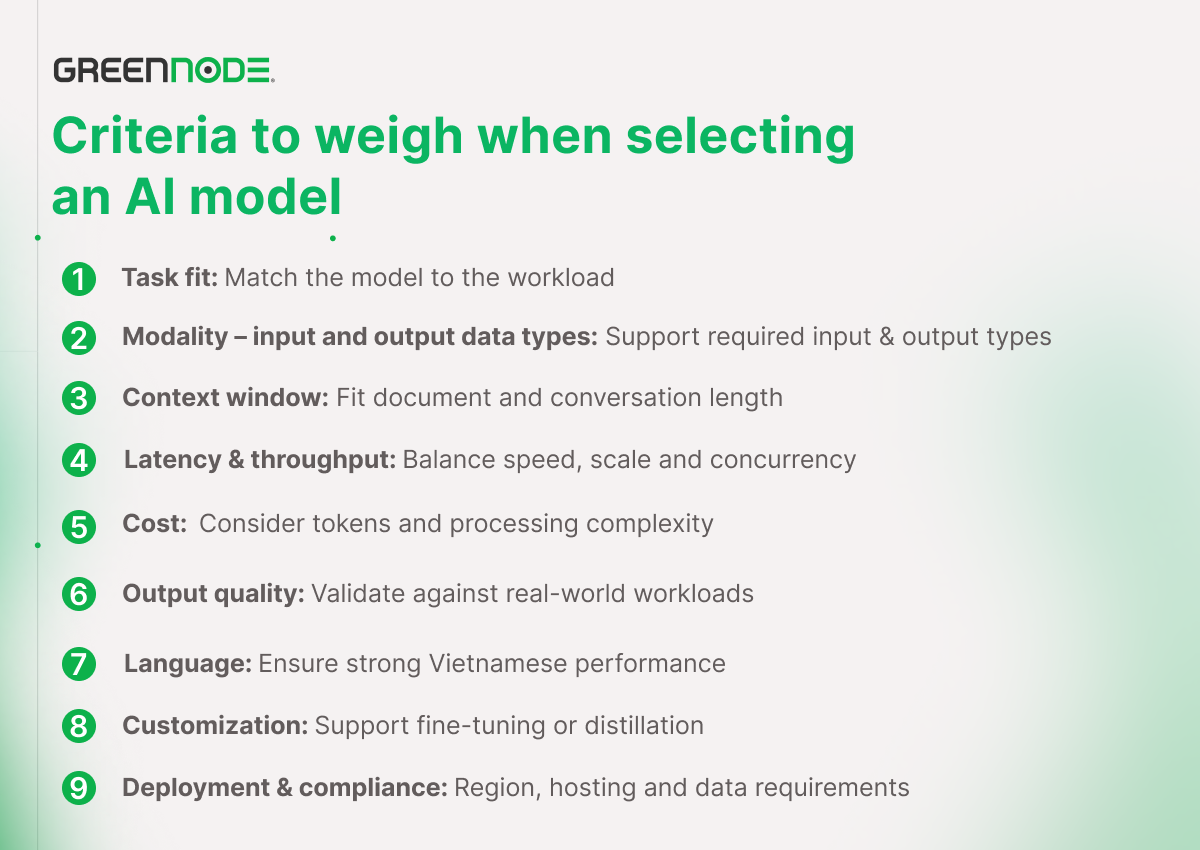
- Task fit. Determine whether the workload is chat, reasoning, RAG/embedding, coding, multimodal, or agentic with tool calls. The model must meet the capabilities the task requires.
- Modality – input and output data types. Determine whether the application needs to process text, images, video, or documents, then choose a model that supports the right modality.
- Context window. Long documents, multi-turn conversations, or large codebases need a model with a wide context window. However, a larger context can bring higher latency and cost.
- Latency and throughput. Real-time features such as chatbots and AI assistants need low latency, while batch workloads may prioritize throughput and cost. For production systems, also account for the number of concurrent requests.
- Cost. Beyond per-token pricing, long context, reasoning, and multimodal processing can all raise the cost per request.
- Output quality. Evaluate models on a dataset representative of the real workload, combined with public benchmarks such as Hugging Face or AI arenas, rather than relying on brand or popularity.
- Language. For Vietnamese applications, prefer AI models that understand and generate Vietnamese well, especially when the workload contains local data and context.
- Customization. For specialized tasks, check whether the model supports fine-tuning or distillation to optimize domain accuracy.
- Deployment, region, and compliance. Consider whether the model is self-hosted or accessed via API, which region it runs in, and whether data leaves the region. This is especially important for workloads processing sensitive data.
From these criteria, businesses can build a model selection and evaluation process in six steps:
- Describe the workload and its technical requirements: task type, modality, context window, target latency, token budget, and compliance requirements.
- Shortlist 2–3 candidate AI models: pick models that meet the workload's most important technical requirements.
- Build an evaluation harness: prepare a representative dataset for the task, along with metrics such as accuracy, relevance, latency, cost, context retention, and output quality.
- Run the models under the same conditions: compare quantitative and qualitative results, and cross-check against public benchmarks.
- Choose the right AI model: identify the model that best balances quality, performance, and cost. If needed, consider fine-tuning or distillation.
- Keep the ability to switch models: don't lock your application into a single model. A suitable abstraction layer makes it easy to change models when the workload or requirements change.
In this process, the two most important factors are the ability to test multiple AI models on the same workload and the ability to switch models flexibly. This is where a Model as a Service (MaaS) platform can help businesses simplify the selection, evaluation, and deployment of AI models.
What AI Models Does GreenNode MaaS Provide?
GreenNode MaaS brings together many AI model families on one platform and provides access through a single unified API. The catalog includes both models self-hosted by GreenNode and models offered through official partners (third-party), covering many different use-case groups.
| Model | Developer | Hosting | Typically suited for |
|---|---|---|---|
| GPT | OpenAI | Third-party | General reasoning, multimodal (image, files), multiple sizes |
| Claude | Anthropic | Third-party | Reasoning, long-form writing, coding, document handling |
| Qwen | Alibaba | Third-party | Multilingual, multimodal (image, video), multiple sizes, cost-efficient |
| GLM | Zhipu AI | Self-host (GreenNode) | Reasoning, cost-efficient |
| MiniMax | MiniMax | Third-party | Long context, multimodal, agentic tasks |
| Kimi | Moonshot AI | Third-party | Long context; includes a coding variant |
| Gemma | Third-party | Open, lightweight, efficient |
Specific capabilities and strengths may vary by model version and are updated over time. Businesses should test directly on their real use case to make the right choice. GreenNode's AI model catalog is updated continuously – see the latest list in GreenNode's official documentation.
Beyond chat models, the catalog also includes embedding models (Cohere Embed v4, Qwen3 Embedding) and rerank (Cohere Rerank) for semantic search and RAG, plus an image generation model – all on the same platform.
Two things make model selection on GreenNode MaaS convenient:
- One API, easy to switch. Businesses can test multiple models without building a separate integration for each provider. To move from one model to another, the development team can change a configuration instead of rewriting the entire integration logic. This is especially useful during the "test fast, measure, and decide later" phase.
- Transparency over self-host and partner. Each model is offered as self-hosted (e.g., GLM is deployed directly on GreenNode's infrastructure in Vietnam) or third-party (via official partners under contract). Through the Transparency Portal, businesses see which mode each model uses and can choose the deployment region – an important criterion for sensitive data.
As a result, "choosing the right model" is no longer a one-time, locked-in decision, but a flexible process: test, measure, switch when needed – all on one platform.
How to Start Testing and Deploying AI Models on GreenNode MaaS
You can go from "not sure which model fits" to "the model is in production" in four steps:
- Try it on the no-code playground. Compare multiple models directly with your own prompts and sample data, no code required – the fastest way to narrow the shortlist.
- Integrate through the API. Once you've chosen a model, your existing team calls it with just a few lines of code through the unified API. (Details in our guide on integrating AI models through APIs.)
- Assess cost on real usage. With pay-per-token, you evaluate real cost on real traffic before committing.
- Optimize and scale. Switch or combine models for different tasks, and scale once it proves valuable – without managing GPU infrastructure.
Just as important, the team doesn't have to manage GPU infrastructure for each model.
If you want an overview of this AI delivery model before diving into model selection, see What Is Model as a Service (MaaS).

Learn more about GreenNode Model as a Service to browse the model catalog and try it on the playground.
Frequently Asked Questions
How do I know which model fits my task?
Start from the task type and constraints (cost, latency, context, language, compliance), shortlist 2–3 candidate models, then test on your own data through a playground and measure. This is more reliable than relying on generic leaderboards alone.
Should I always pick the most powerful model?
No. The most powerful model is usually more expensive and slower, and often overkill for simple, high-volume tasks. Choosing by task optimizes both quality and cost.
Is switching between models complicated?
On GreenNode MaaS, all models share one unified API, so testing and switching models is usually a configuration change rather than a rewrite of your integration.
Which models does GreenNode MaaS offer?
The catalog includes leading model families such as GPT, Claude, Qwen, GLM, MiniMax, Kimi, and Gemma, in both self-hosted and third-party modes, plus embedding and rerank models – all accessible through a single API. The latest list is always in GreenNode's official documentation.
