

This June, GreenNode closes out Q2 with eleven updates spanning cost management, Kubernetes operations, network security, monitoring, and database infrastructure. Across the board, the focus is the same: reducing manual work, expanding observability, and giving operations teams more precise control over their systems.
Here is a summary of what shipped in June 2026.
Billing Cost Explorer: drill down to the resource level
Cost Explorer has been significantly upgraded. Users can now view spending across four time granularities, including Hourly, Daily, Weekly, and Monthly, and drill down to individual Resource IDs. Three view modes are available: by Product, by Resource Type, and by Resource ID.
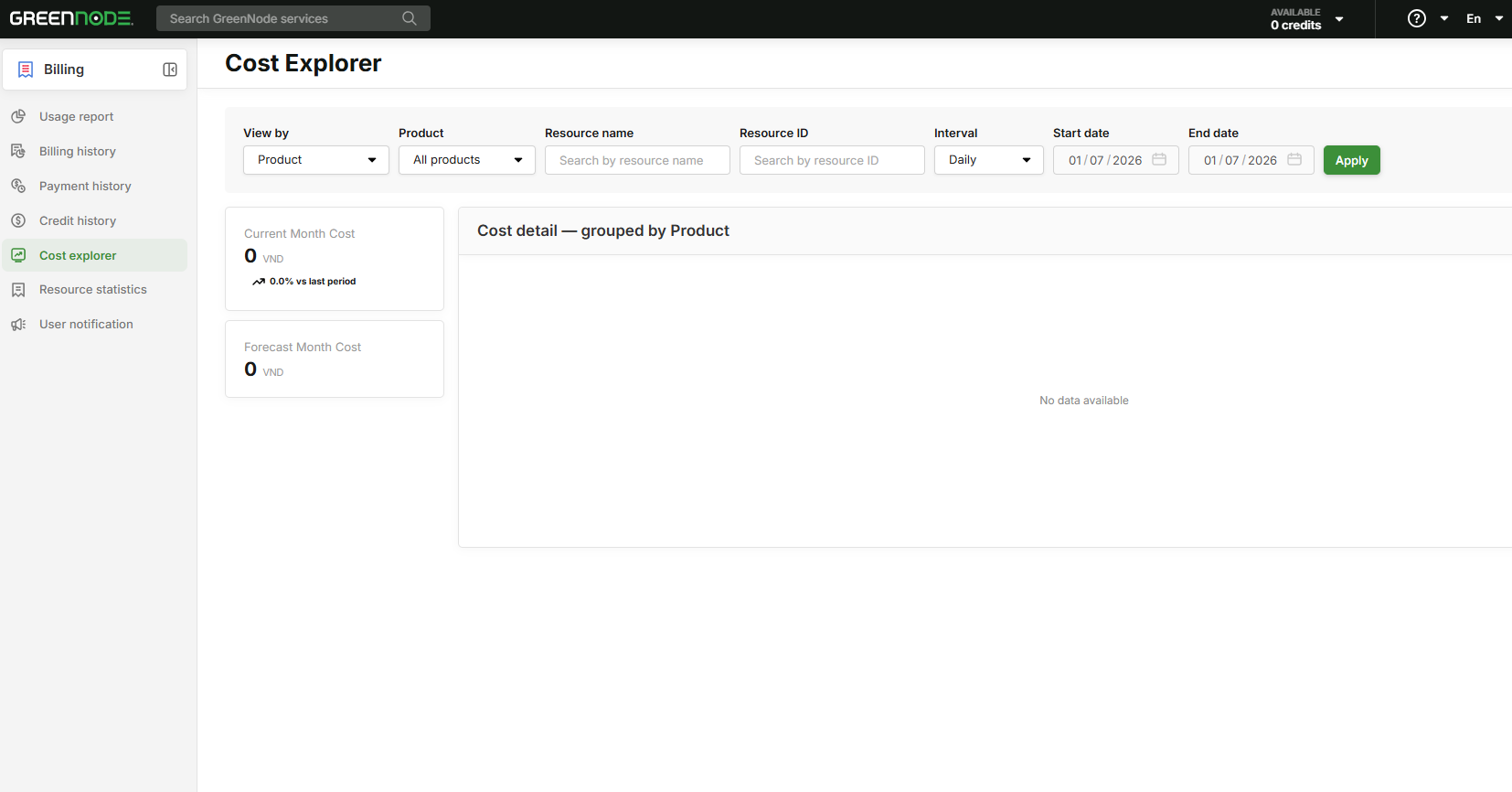
For businesses running multiple services across several teams, this level of visibility makes it practical to identify exactly which resources are driving costs and take action without waiting for end-of-month reports or relying on estimates.
VKS: three updates for more self-sufficient Kubernetes clusters
June brings three separate improvements to VKS, each targeting a different layer of day-to-day cluster management.
Resource Tag: label servers and volumes by Node Group
Users can now assign key/value tags to all Servers and Volumes within a Node Group. In environments with multiple clusters, consistent tagging makes resource classification, cost allocation, and audit workflows significantly easier to manage.
Auto Healing at the cluster level
VKS now supports Auto Healing configuration directly at the cluster level on the Portal. When a worker node enters an unhealthy state, the system automatically removes it and provisions a replacement without manual intervention required. Previously this had to be configured at the Node Pool level; cluster-level configuration simplifies setup and ensures consistent behavior across all node groups.
Kubeconfig Generator: configurable certificate expiry and revocation
Users can now set a custom expiration period when generating kubeconfig files, and actively revoke kubeconfig credentials when access needs to be withdrawn. For teams with compliance requirements around credential lifecycle management, this removes a previous gap where expiry was fixed and revocation was not available through the Portal.
Access control: TLS enforcement and Portal IP whitelist
Two updates this month tighten access control at different layers of the stack, one at the CDN edge, one at the management plane.
vCDN: minimum TLS version control
Customers can now select the minimum TLS version for their CDN configuration directly on the Portal. This allows teams to enforce connection security standards that match their compliance requirements whether that is PCI-DSS, internal policy, or a specific client requirement without requiring changes at the origin server level.
Portal security: IP whitelist for login access
Organizations can now restrict Portal login to a defined list of IP addresses. This is a straightforward but meaningful control for businesses that operate from fixed office networks or require VPN access for cloud management reducing exposure from credential-based attacks without adding friction for legitimate users.
Available from July 1, 2026.
WAF: traffic and request reporting by custom time range
WAF now supports viewing and exporting request and traffic data across user-defined time ranges: 7 days, 1 month, 6 months, and more. This is useful for scheduled security audits, incident investigations, and longer-term traffic pattern analysis where day-level views are insufficient.
vNetwork NAT Gateway: High Availability support
NAT Gateway now supports High Availability. The configuration approach has also been simplified: HA routing is set at the VPC level rather than on each individual VM, which reduces setup complexity and the chance of misconfiguration. Outbound traffic flows are no longer a single point of failure.
Available from July 1, 2026.
vMonitor: vStorage metrics extended to HCM-04 and HAN-02
vMonitor now covers vStorage at two additional regions, HCM-04 and HAN-02. The expanded metric set includes traffic, request count, latency, and storage capacity per bucket. For teams running workloads across multiple regions, this brings monitoring consistency to the full deployment footprint.
vDB: two database milestones in one month
June brings two significant vDB updates, one introducing a new HA architecture for Redis, the other moving PostgreSQL Cluster to General Availability.
vDB Redis Cluster (MemoryStore): High Availability for production Redis
Redis Cluster on vDB follows a 1 Master / up to 9 Replica architecture with continuous synchronization, automatic failover when the master fails, and zero-downtime replica scaling. Backup is handled through vBackup with support for both automated and manual backup schedules, and restore is available directly from the Backup Center. Redis 7.x is supported.
This is the appropriate architecture for production Redis workloads where a single-node setup introduces unacceptable availability risk.
vDB PostgreSQL Cluster: now Generally Available with Terraform and migration support
PostgreSQL Cluster exits the Alpha phase and is now Generally Available. The GA release adds Terraform provider support and documentation covering the most common migration paths: Single to Cluster migration, logical replication with minimal downtime, and Change Data Capture using Debezium.
For teams that have been evaluating PostgreSQL Cluster during Alpha or planning a migration from a single-node setup, the GA release includes the tooling and reference documentation needed to move forward.
Tech docs updates
- Billing — Cost Explorer
- VKS — Release Notes (Resource Tag, Auto Healing, Kubeconfig Generator)
- vDB — Redis Cluster (MemoryStore)
- vDB — Terraform Provider
- vDB — Migrate Single to Cluster
- vDB — Logical Replication
- vDB — CDC with Debezium
Frequently Asked Questions
What does the Cost Explorer upgrade change for finance and operations teams?
The main change is granularity. Teams can now trace spending to a specific Resource ID and view it by hour, day, week, or month, making it easier to identify cost drivers and act on them before the end of the billing cycle.
How is Auto Healing at the cluster level different from the Node Pool setting?
Cluster-level Auto Healing applies a single configuration across the entire cluster, reducing the overhead of configuring each Node Pool individually. The behavior is the same, unhealthy nodes are automatically replaced, but the setup is simpler and more consistent.
What is the difference between Redis Cluster and a standard Redis instance on vDB?
A standard Redis instance has a single node with no automatic failover. Redis Cluster introduces a master-replica architecture with continuous sync, automatic failover, and the ability to scale replicas without downtime, making it suitable for production workloads where availability is a hard requirement.
What migration paths are supported for PostgreSQL Cluster GA?
The GA release documents three paths: migrating from a Single instance to a Cluster, setting up logical replication with minimal downtime, and implementing Change Data Capture using Debezium for real-time data pipeline use cases.
